> ## Documentation Index
> Fetch the complete documentation index at: https://docs.breezeflow.io/llms.txt
> Use this file to discover all available pages before exploring further.
# Introduction
> Welcome to Breezeflow documentation
 ## Welcome to Breezeflow
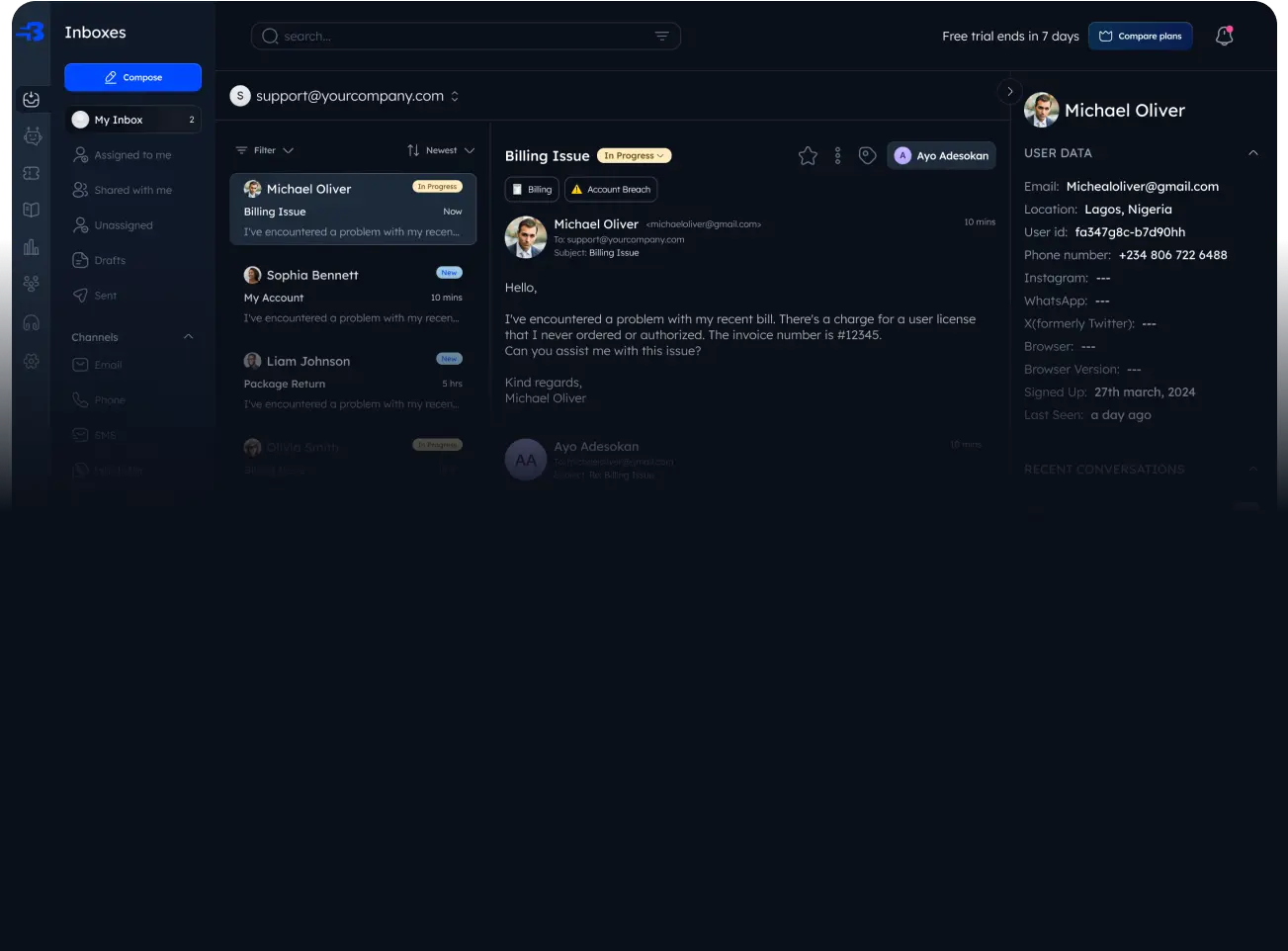
Breezeflow is an AI-driven inbox solution that revolutionizes customer support management. Our platform unifies all your customer interactions into a single, intelligent workspace, enabling your team to deliver faster, more efficient support.
## Key Features
* **Unified Inbox**: Consolidate customer interactions from multiple channels into one seamless interface
* **AI-Powered Automation**: Streamline workflows and reduce response times with intelligent automation
* **Smart Routing**: Ensure messages reach the right team members at the right time
* **Enhanced Support Experience**: Elevate customer satisfaction with faster, more consistent responses
## Getting Started
To begin leveraging Breezeflow's powerful features:
1. Create your account at [Breezeflow](https://www.breezeflow.io)
2. Set up your communication channels
3. Configure your AI preferences
4. Invite your team members
This documentation will guide you through each step of the setup process and help you make the most of Breezeflow's capabilities.
## Welcome to Breezeflow
Breezeflow is an AI-driven inbox solution that revolutionizes customer support management. Our platform unifies all your customer interactions into a single, intelligent workspace, enabling your team to deliver faster, more efficient support.
## Key Features
* **Unified Inbox**: Consolidate customer interactions from multiple channels into one seamless interface
* **AI-Powered Automation**: Streamline workflows and reduce response times with intelligent automation
* **Smart Routing**: Ensure messages reach the right team members at the right time
* **Enhanced Support Experience**: Elevate customer satisfaction with faster, more consistent responses
## Getting Started
To begin leveraging Breezeflow's powerful features:
1. Create your account at [Breezeflow](https://www.breezeflow.io)
2. Set up your communication channels
3. Configure your AI preferences
4. Invite your team members
This documentation will guide you through each step of the setup process and help you make the most of Breezeflow's capabilities.